
Projection Mapping & VJ Software for Mac and Windows
Visual performance
for the field
The complete projection mapping, live visual, and content creation studio. 100+ GPU shaders. 89+ effects. AI generation. MIDI and mobile control. Everything you need in one app, on Mac and Windows.
From the gallery to the festival.
Ship your first show tonight
Pick a shader. Point your projector. You are live. No tutorials, no code, no setup wizards. The interface disappears so you can focus on creating.
Replace your entire toolchain
Shaders, media, 3D, mapping, VJ mode, effects, MIDI, mobile control, AI generation, and recording. One app. One license. One workflow.
Pro power at a fraction of the cost
16-channel VJ mode, mesh warping, 89+ GPU effects, Spout/Syphon output, gaussian splats, FluidGen, 3D Particles. Features that rival tools at 5x the price.
Five-stage visual pipeline
Content flows through a GPU-accelerated pipeline. Each stage runs independently for maximum performance. From shader to projector in under one frame.
Everything for visual performance
10 content layer types. 89+ chainable effects. 23 blend modes. AI generation. MIDI, audio, and mobile control. Mesh warping. 4K output. All in one app.
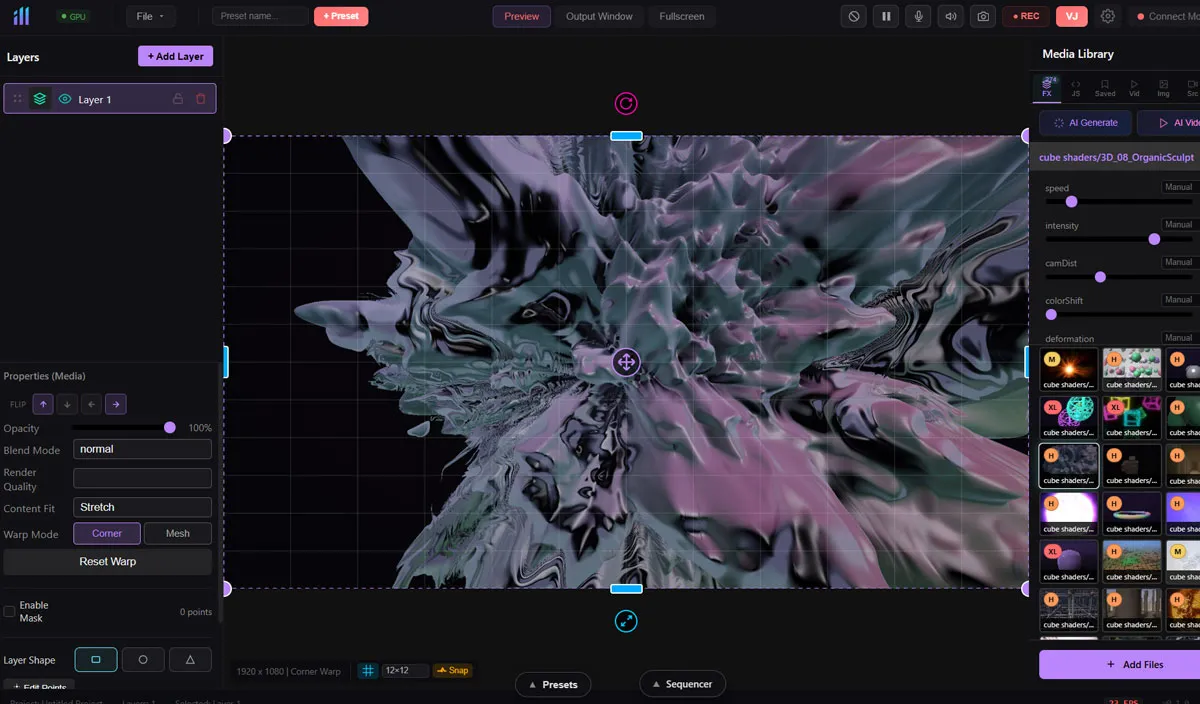
100+ GPU Shader Engine
Pick from 100+ ready-to-use visual effects. Fractals, particles, kaleidoscopes, voronoi, plasma, sacred geometry. Every shader has real-time sliders so you can make it yours.
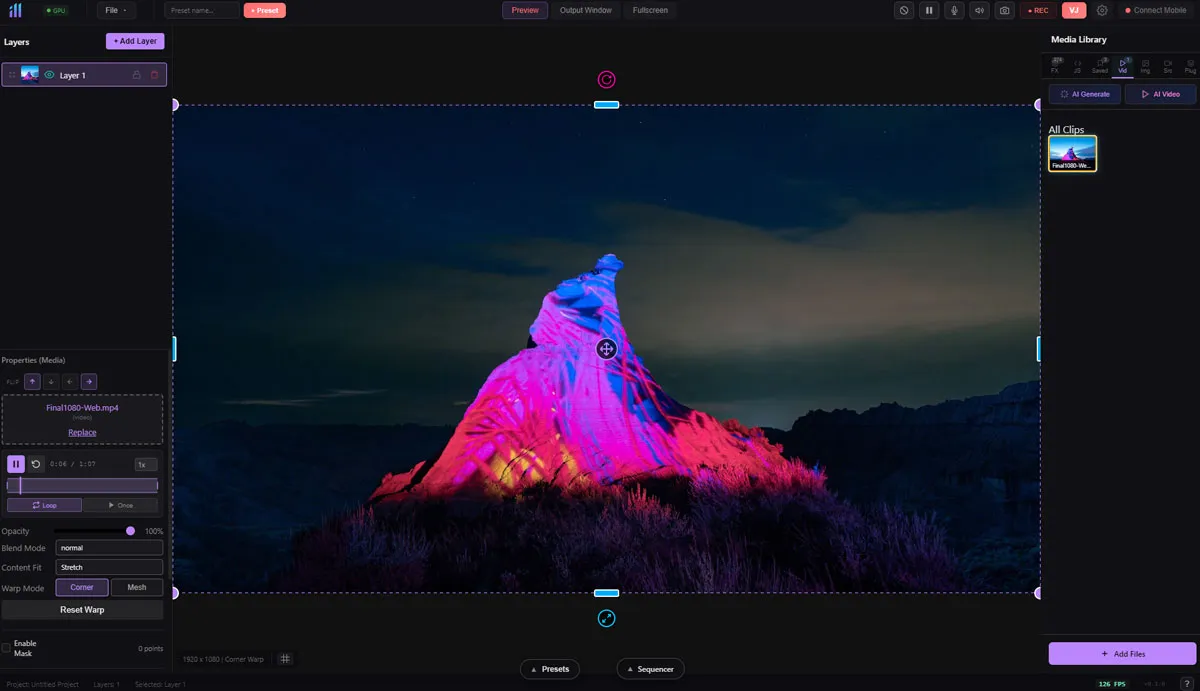
Video & Image Mixing
Drop in MP4, MOV, GIF, PNG, JPG, or WebM. Control playback speed, loop modes, and chromakey. Stack 89+ effects on every layer.
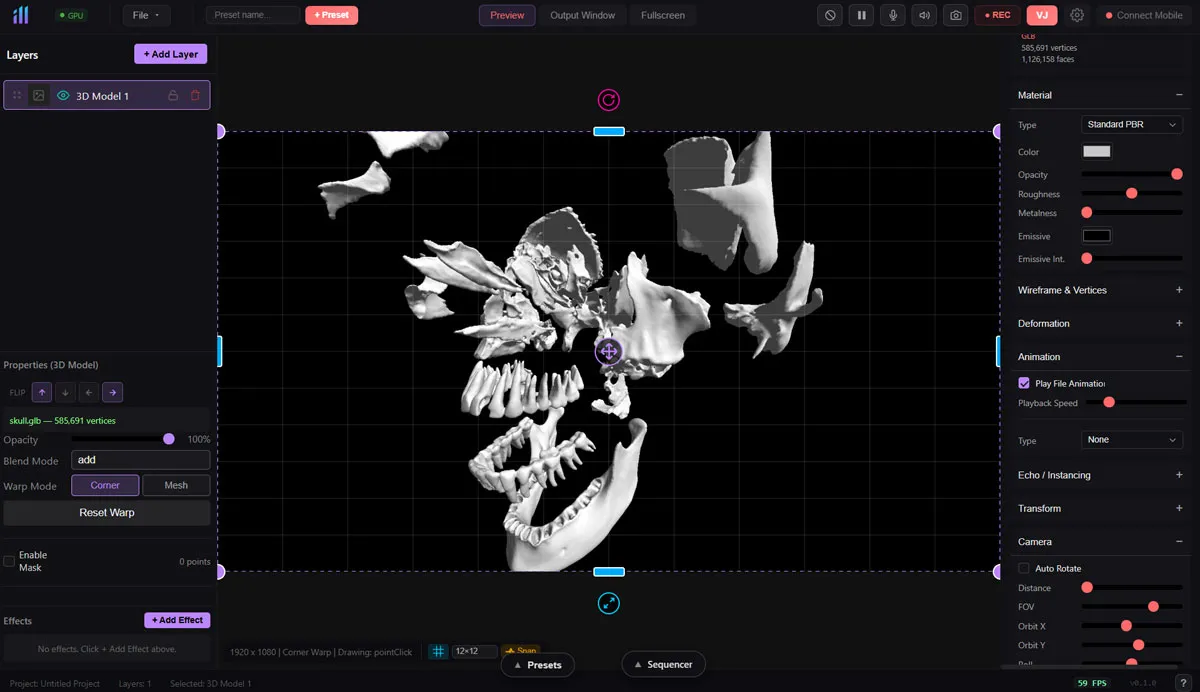
Full 3D Pipeline
Import GLTF, GLB, and FBX models with skeletal animation. 16 material types, 15 deformations, echo/instancing patterns. Full camera and lighting control.
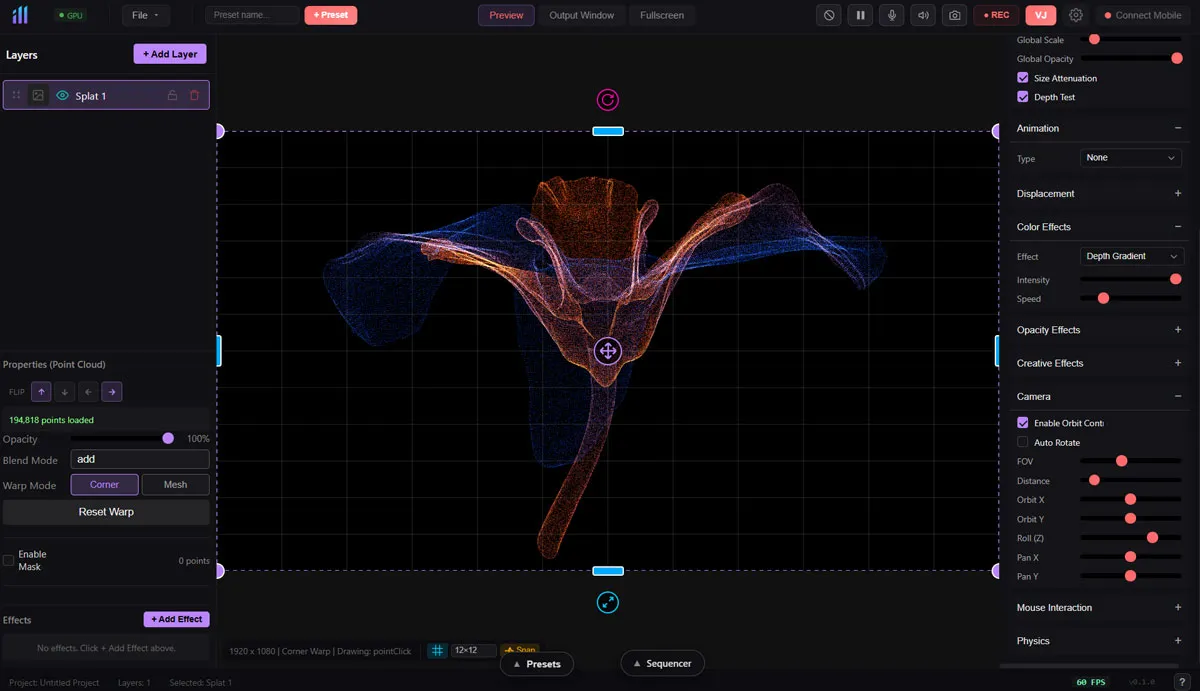
Point Cloud Rendering
Render gaussian splats and point clouds from PLY and .splat files. 12 animation types, physics simulation, mouse interaction, and 100+ parameters.
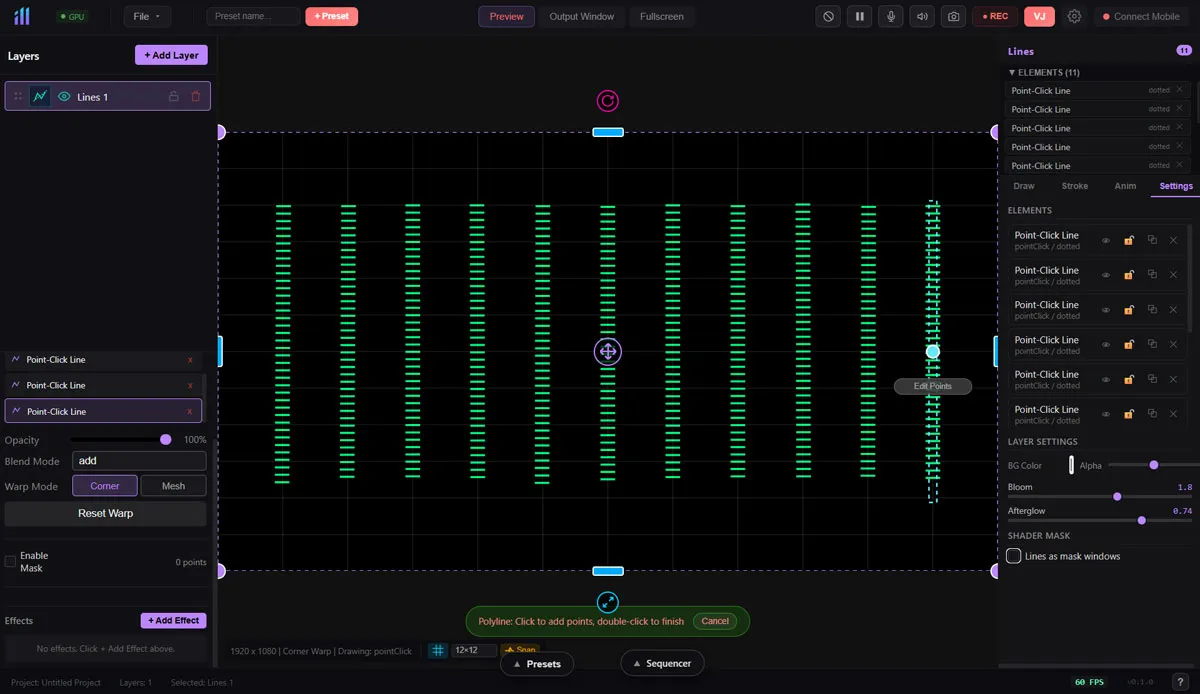
Line Drawing & Mapping
Draw freehand or point-click lines with 15 stroke effects: glow, neon, snake, laser, pipe. Animated draw-on for PVC pipe mapping and stage line work.
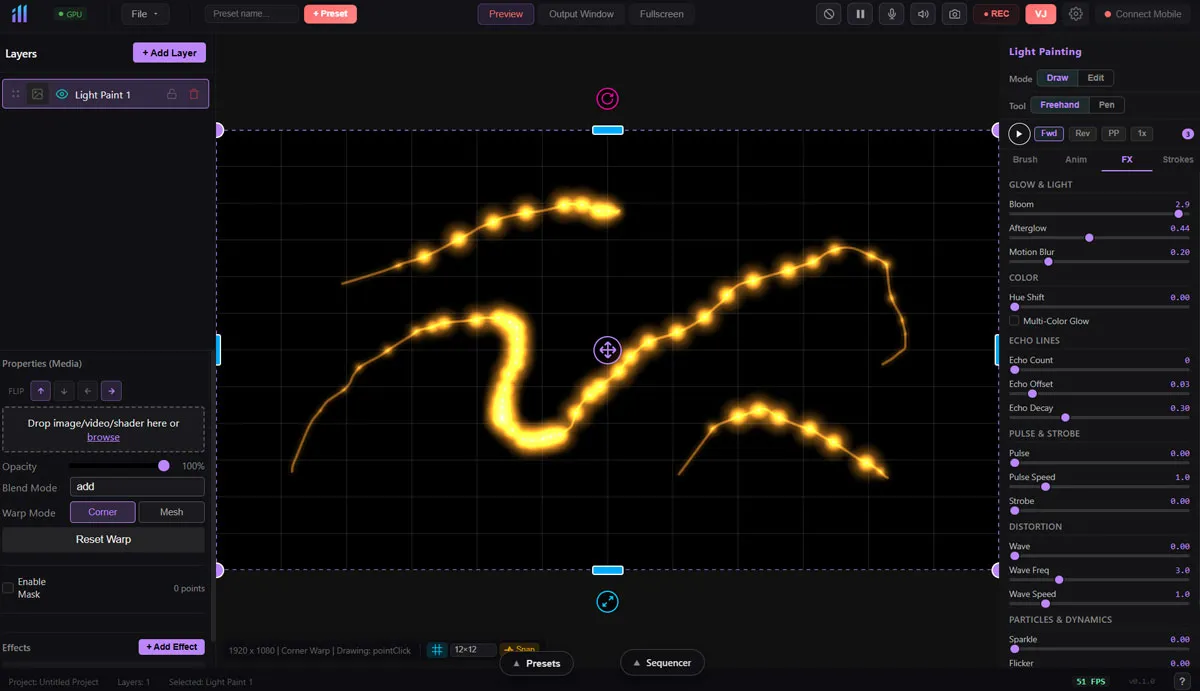
Brush-Based Painting
13 brush types including glow, neon, flame, electric, ribbon, particle, smoke. Trail effects, bloom, and afterglow for live painting performances.
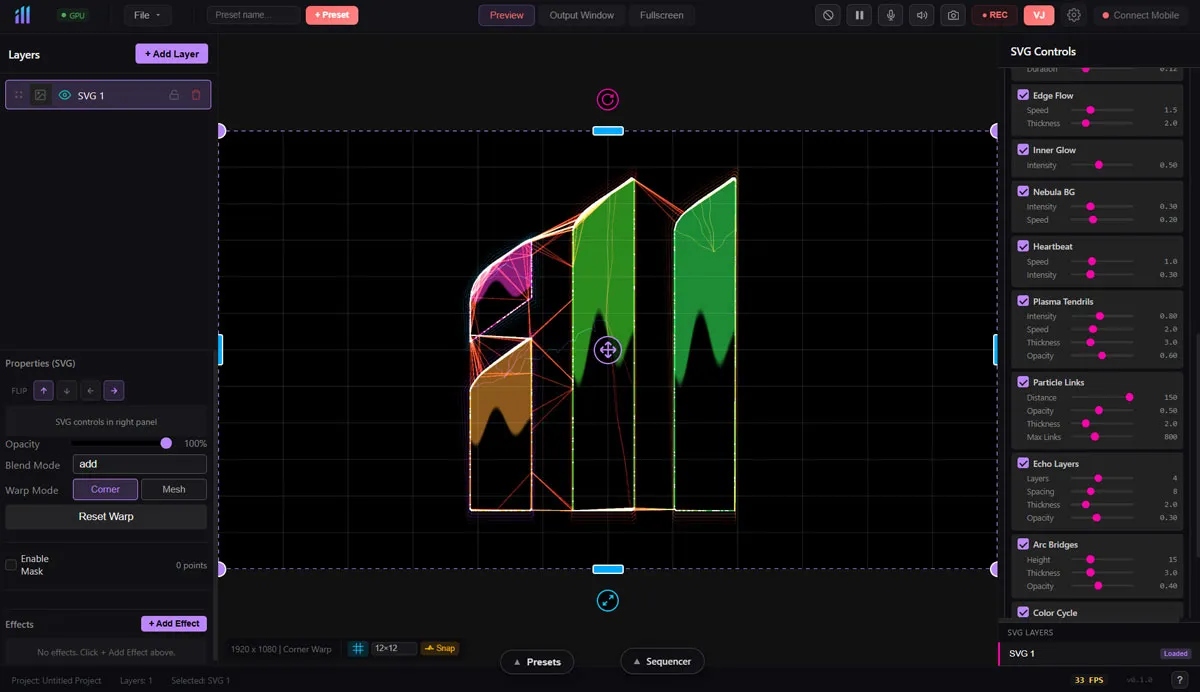
Animated Vector Graphics
Import SVG files with 7 fill modes and 15+ effects. Edge particles, energy pulses, lightning, plasma. Gradient, shimmer, and liquid fills.
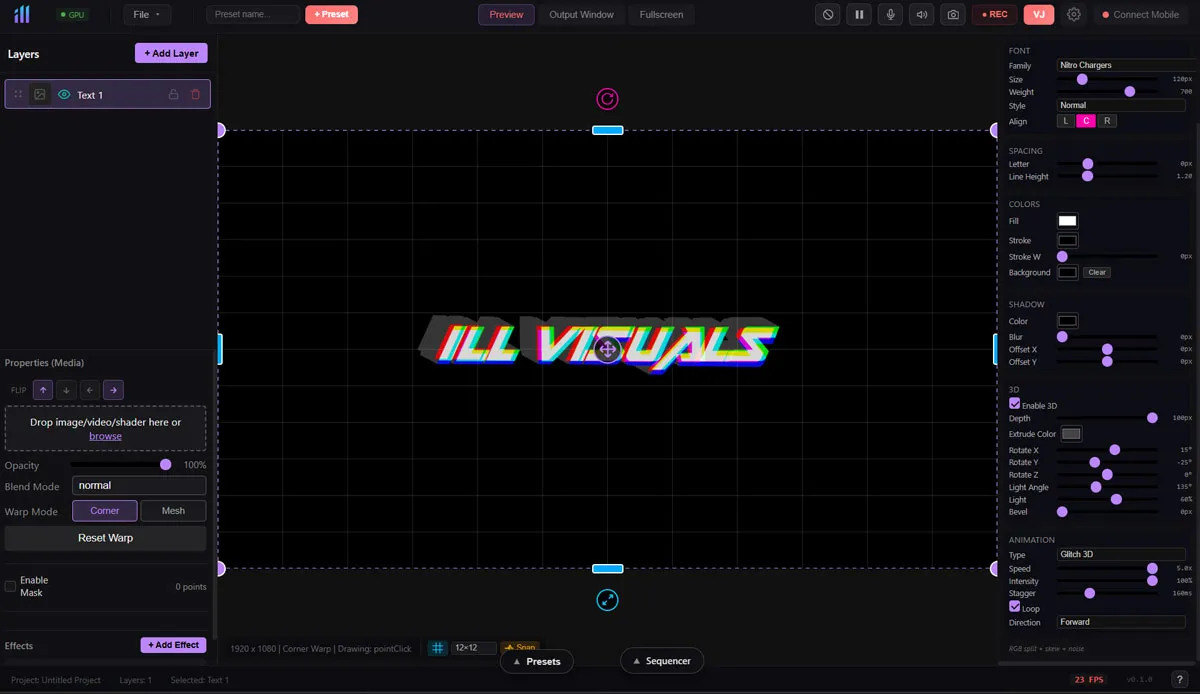
Animated Typography
18 animation modes: typewriter, wave, glitch, rainbow, matrix rain, elastic, spiral, explode. 3D extrusion with depth, lighting, and bevel.
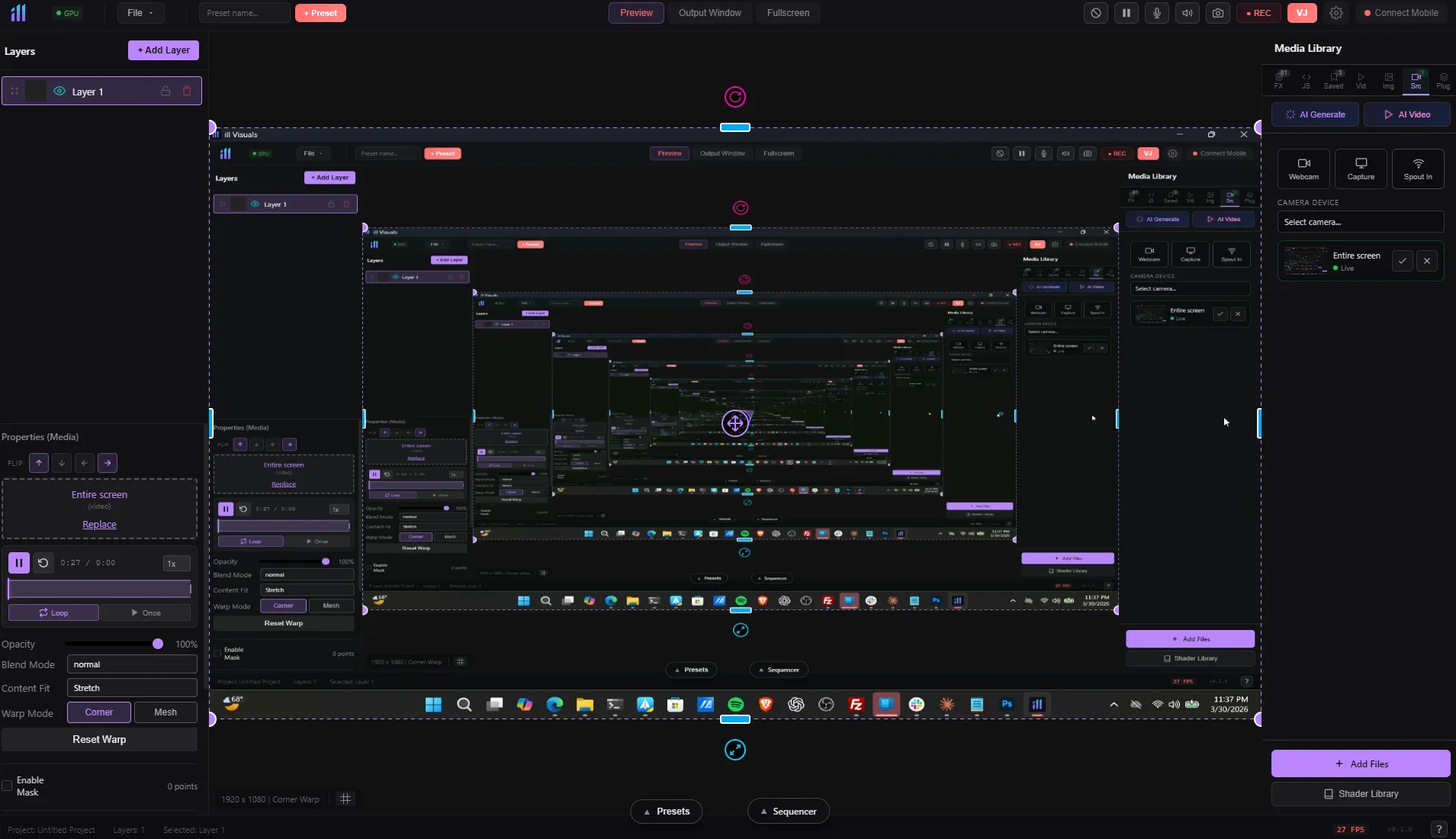
Live Screen Input
Capture any screen, window, or application as a live layer. System audio loopback on Windows. Perfect for incorporating other software into your visual mix.
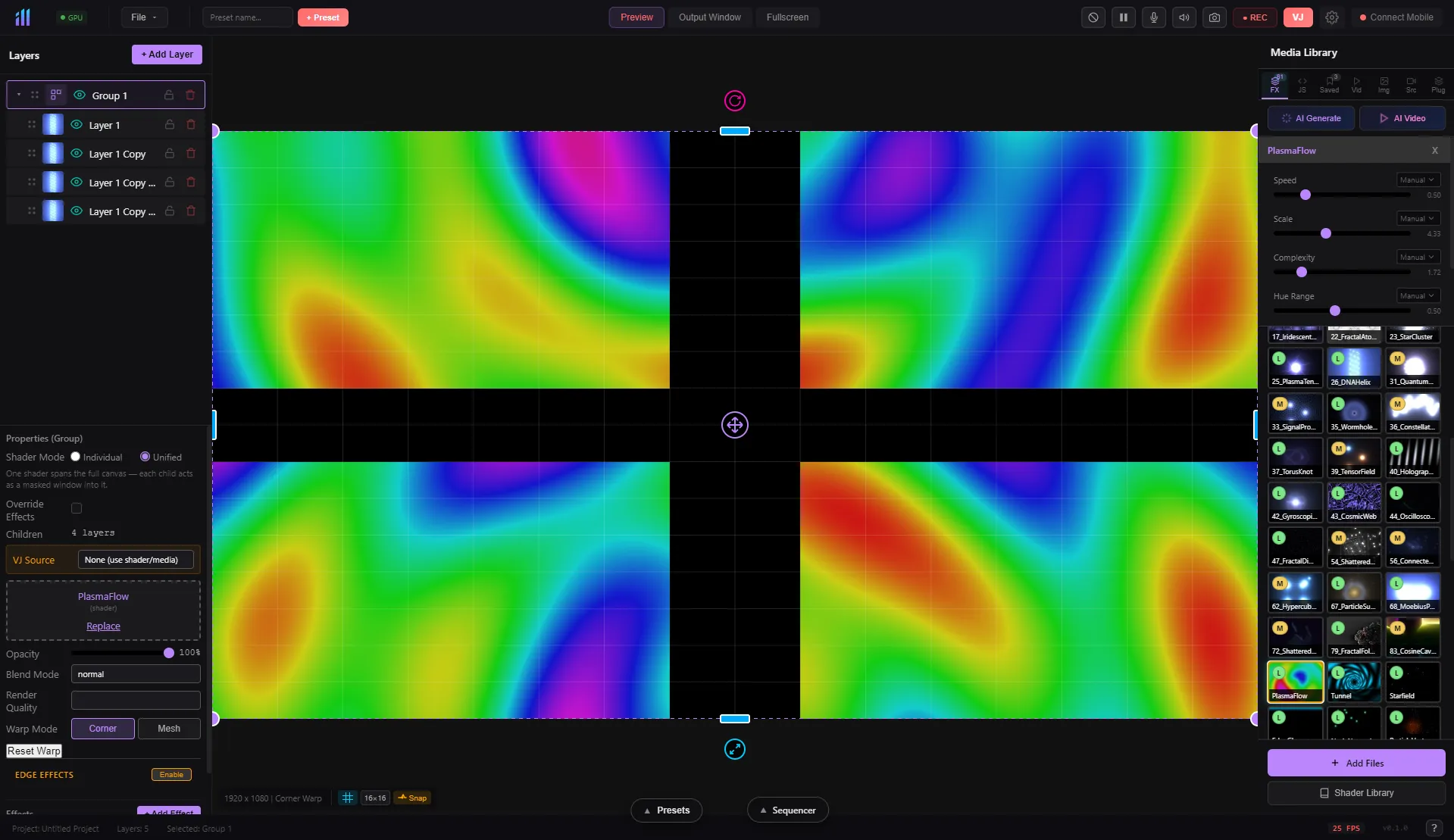
Layer Organization
Group layers into folders. Apply effects, blend modes, and opacity to the entire group. Organize complex compositions and toggle visibility instantly.
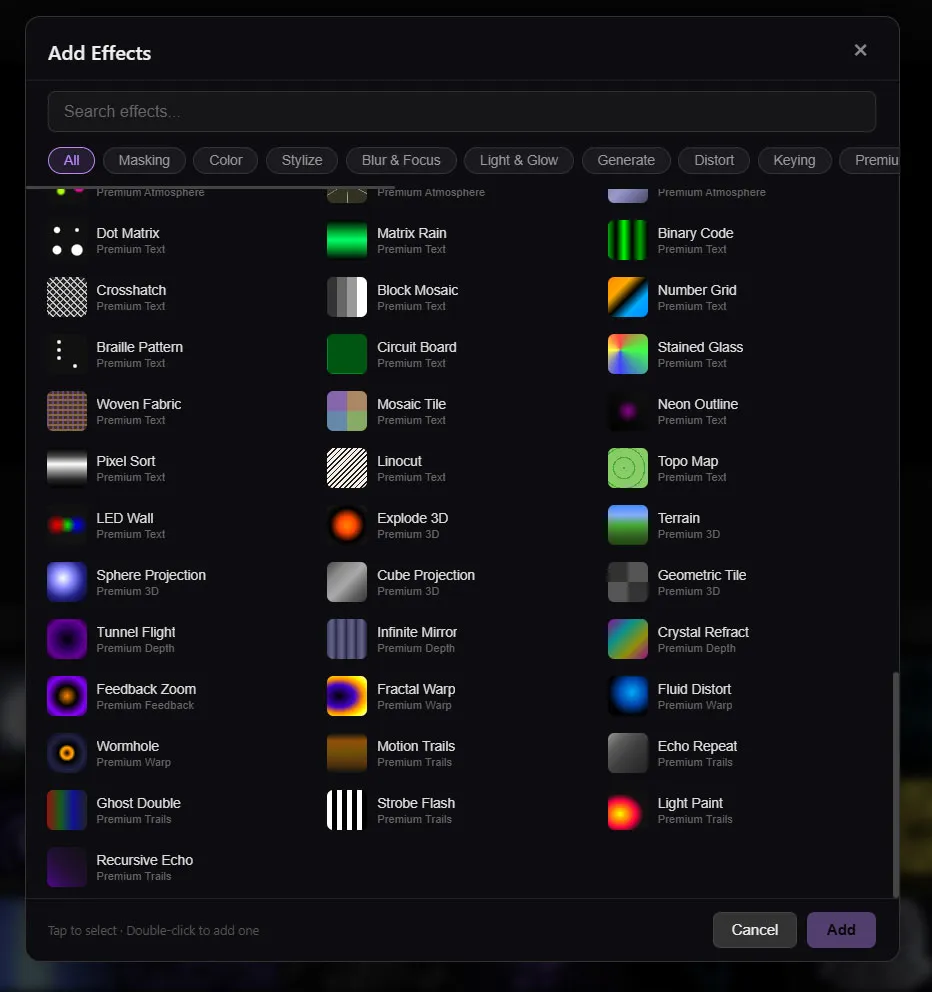
89+ Chainable Effects
Drag-and-drop effect chains per layer. 16 categories: distortion, color grading, blur, stylize, keying, light/glow, warp, atmosphere, trails, and more.
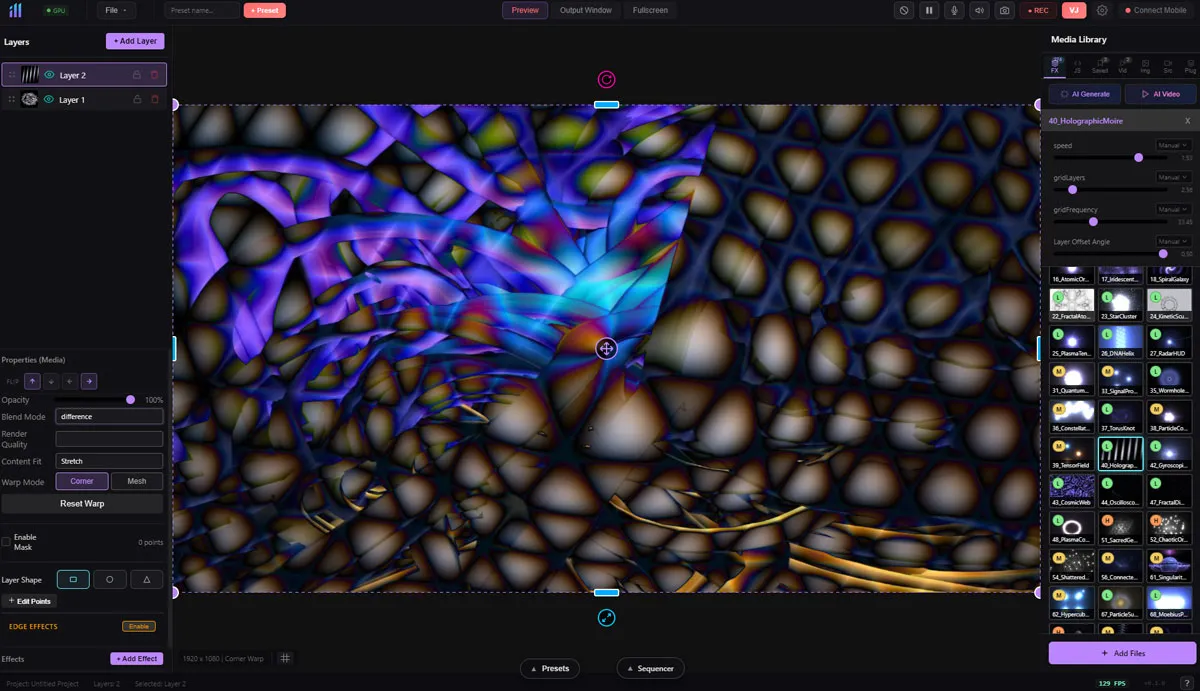
23 Compositing Modes
Professional blend modes: add, multiply, screen, overlay, soft light, hard light, color dodge, color burn, difference, exclusion, luminosity, and more.
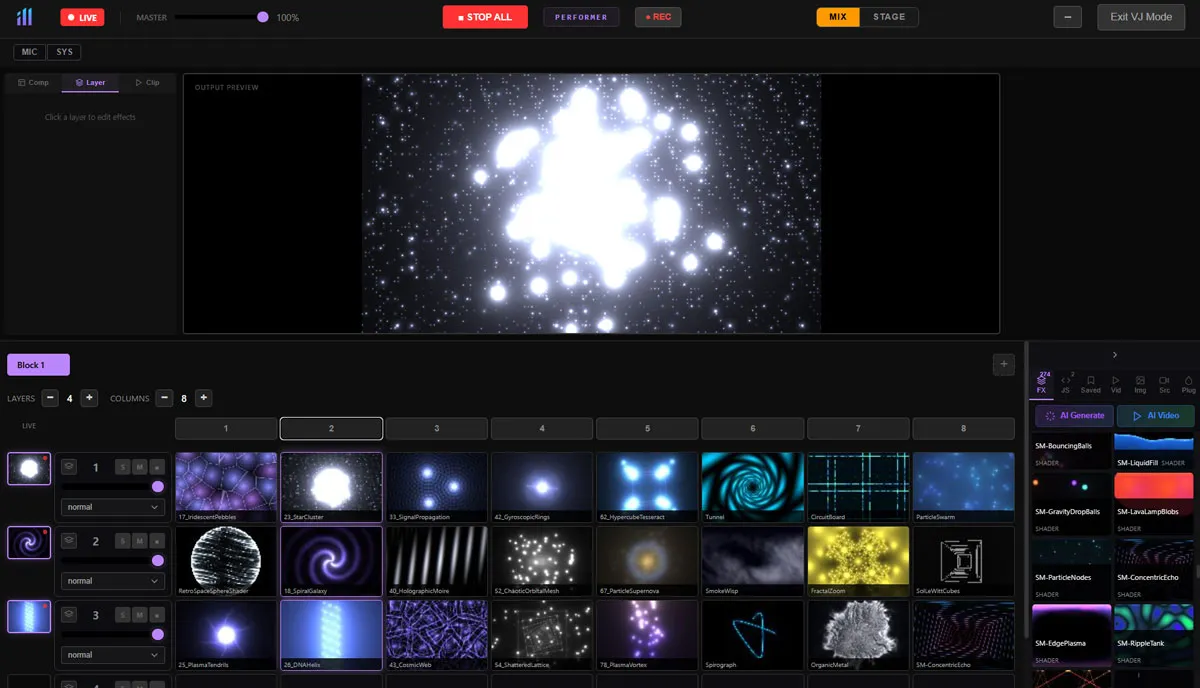
16-Channel Clip Launcher
4 layers x 8 columns clip grid. Instant triggering, crossfades, compositions, and stage presets. Load any layer type into slots. Built for live shows.
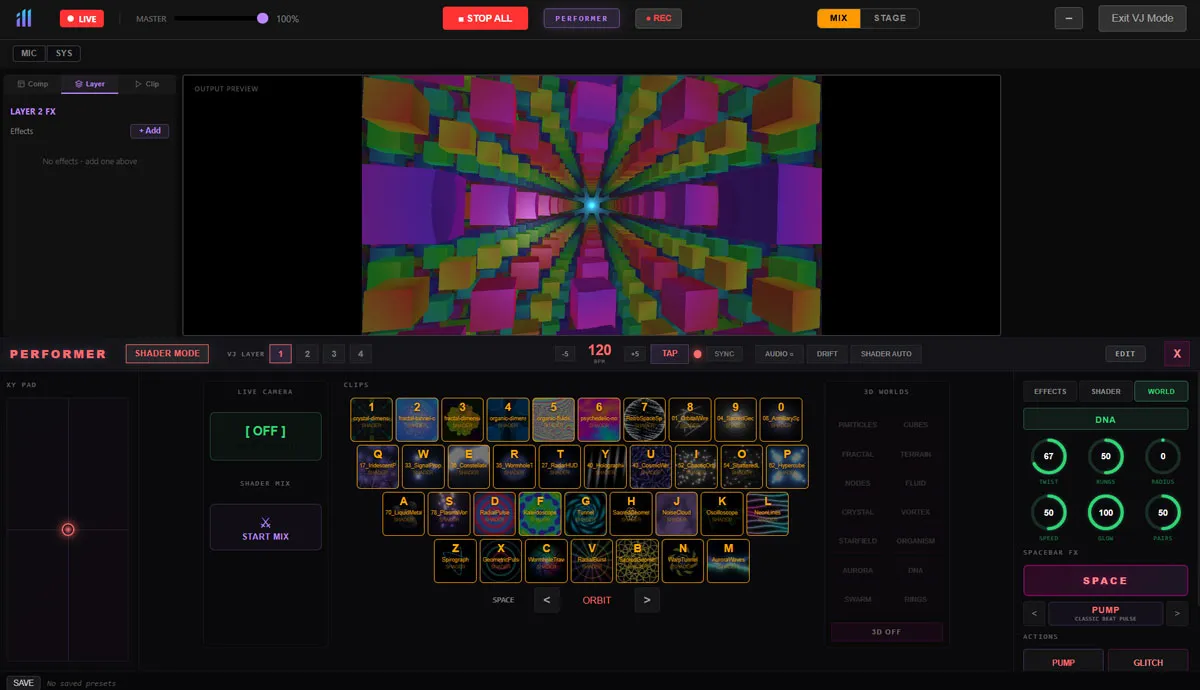
36-Key Visual Instrument
Map any visual to keyboard keys. 4 rows, 36 slots. Save and recall presets. Full-screen performance mode. Your keyboard becomes a visual synthesizer.
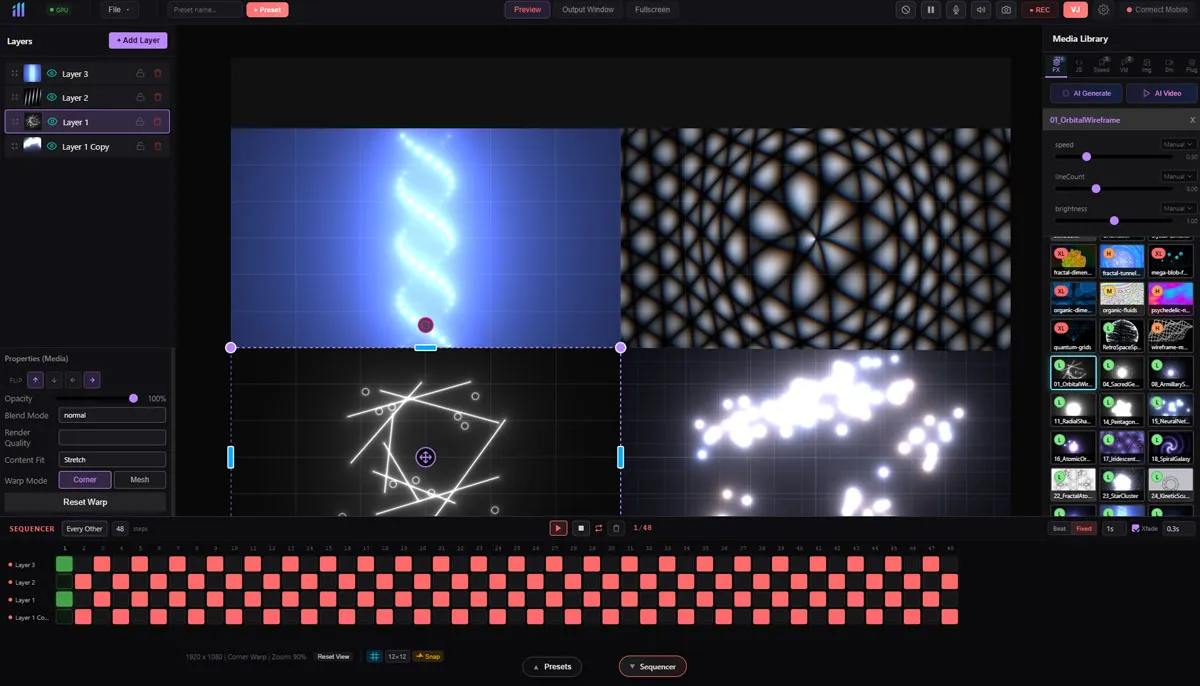
Beat-Synced Automation
Timeline-based layer sequencer synced to BPM. Automate layer visibility and transitions on the beat. Configurable time signatures.
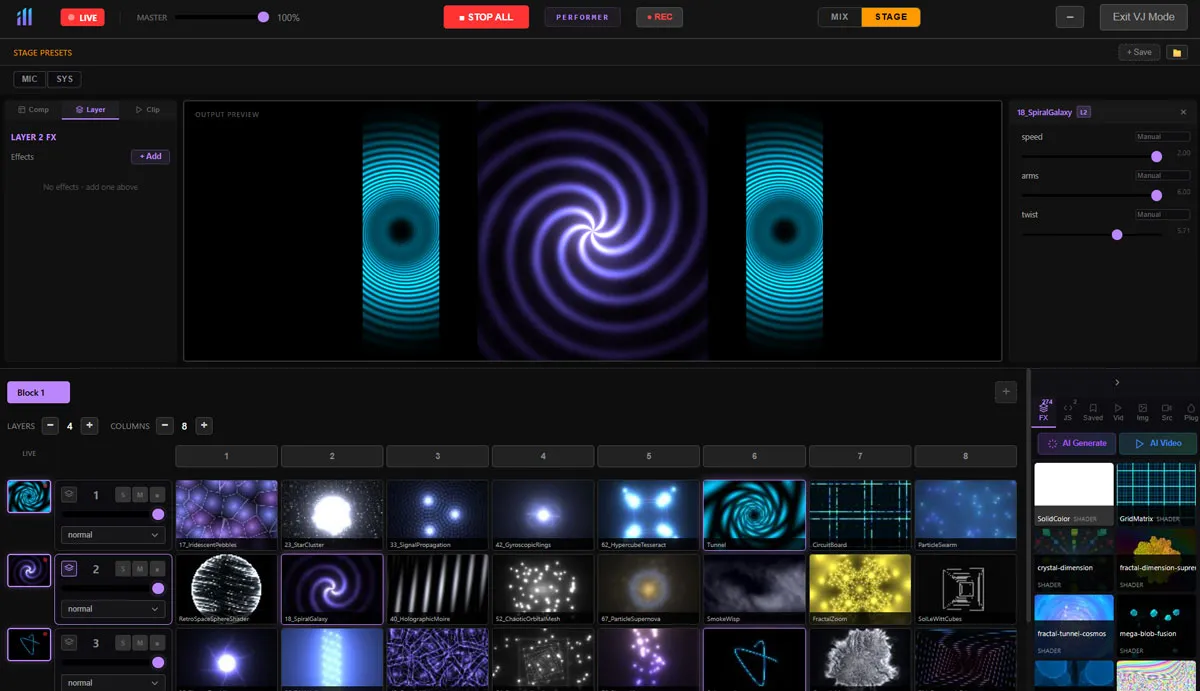
Instant Scene Switching
Save complete multi-layer setups as presets. One click changes your entire visual environment. Perfect for scene transitions during live sets.
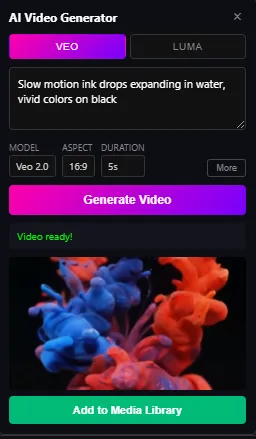
AI-Powered Content
Describe what you want in plain English. AI generates custom GLSL shader code and video content in seconds. No coding required.
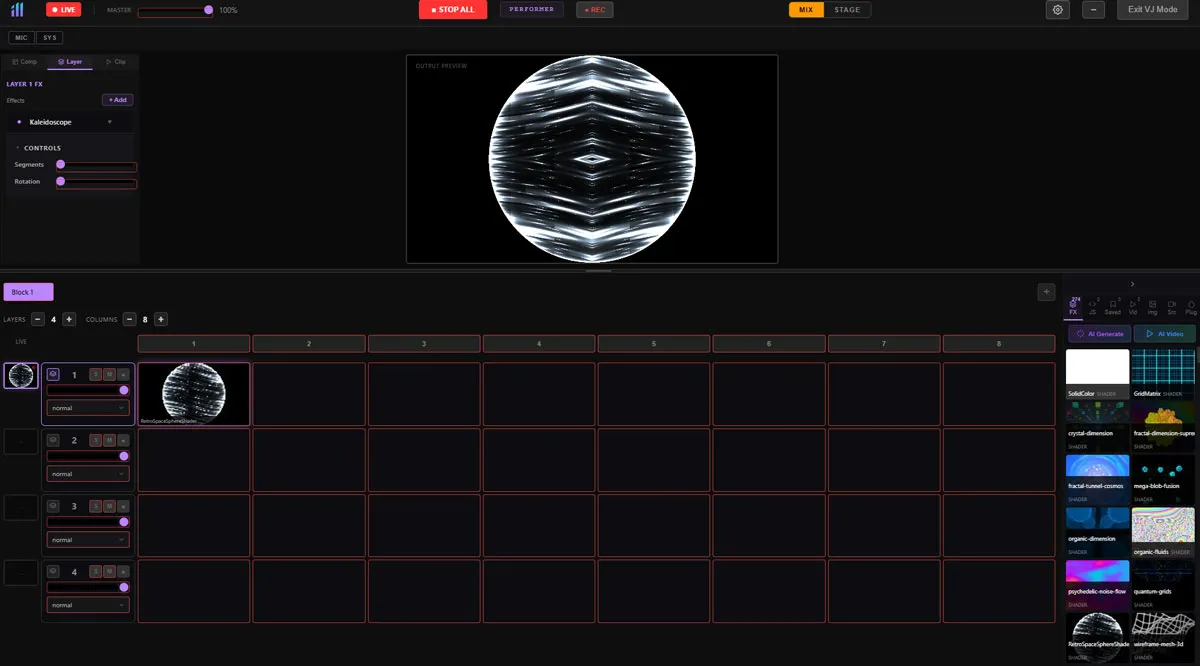
Full MIDI Mapping
Learn mode for any MIDI controller. Map CC, notes, and pitch bend to any parameter. Multi-device support. Hardware control for every knob and fader.
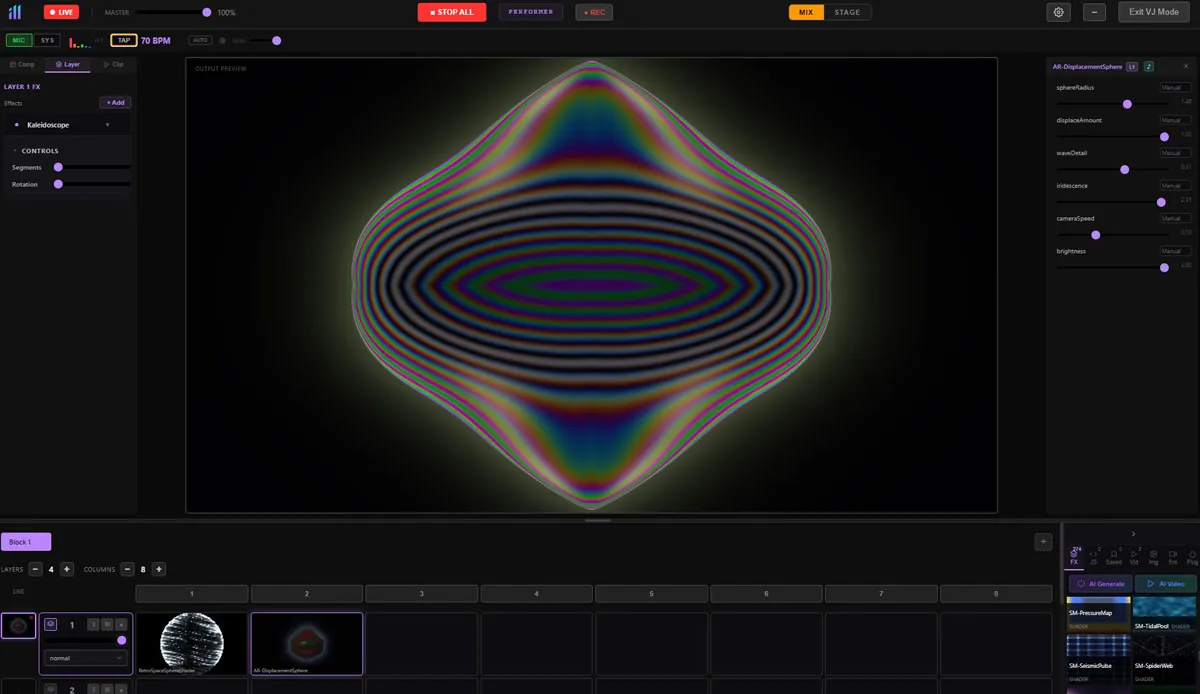
Audio-Reactive Visuals
Beat detection and frequency analysis across 6 bands. LFO modulation. Drive any parameter from audio input. System audio capture on Windows.
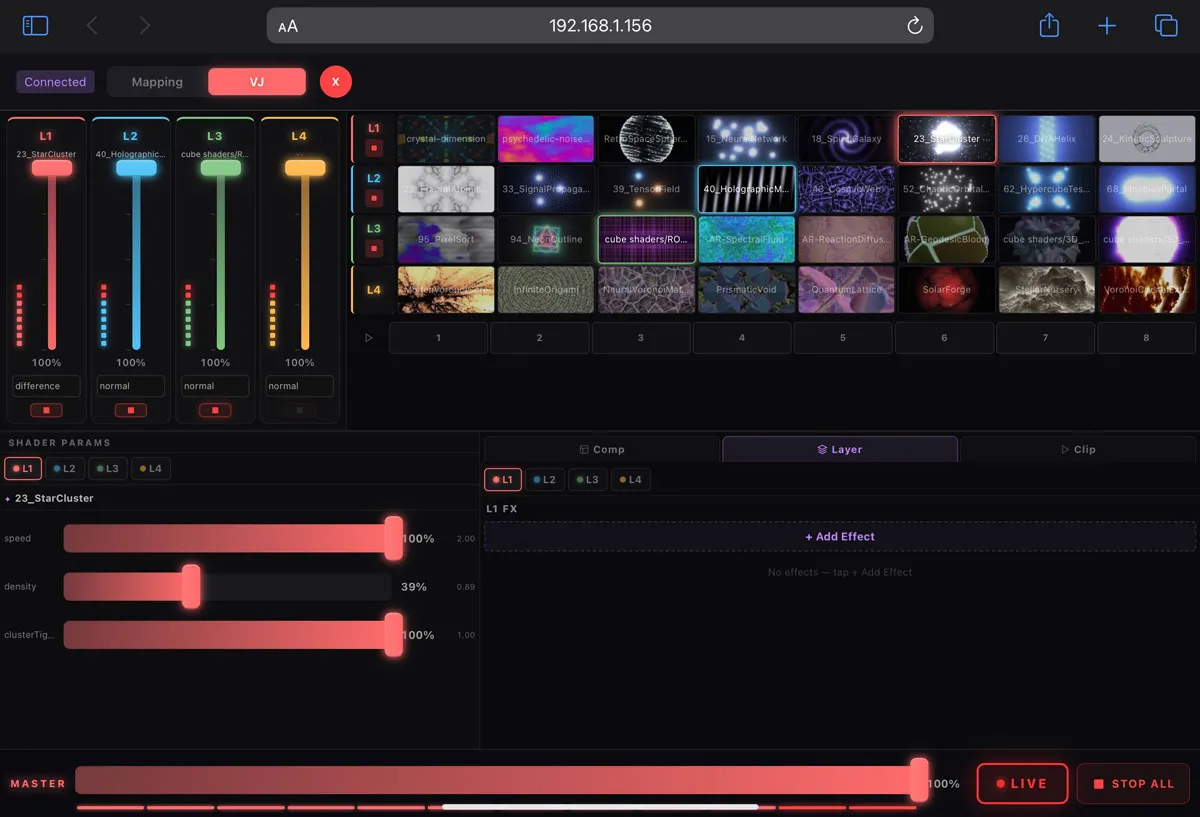
Wireless Control
Control from any phone or tablet over WiFi. Touch-optimized for warp adjustment, clip triggering, and parameter control. Works with hotspot.
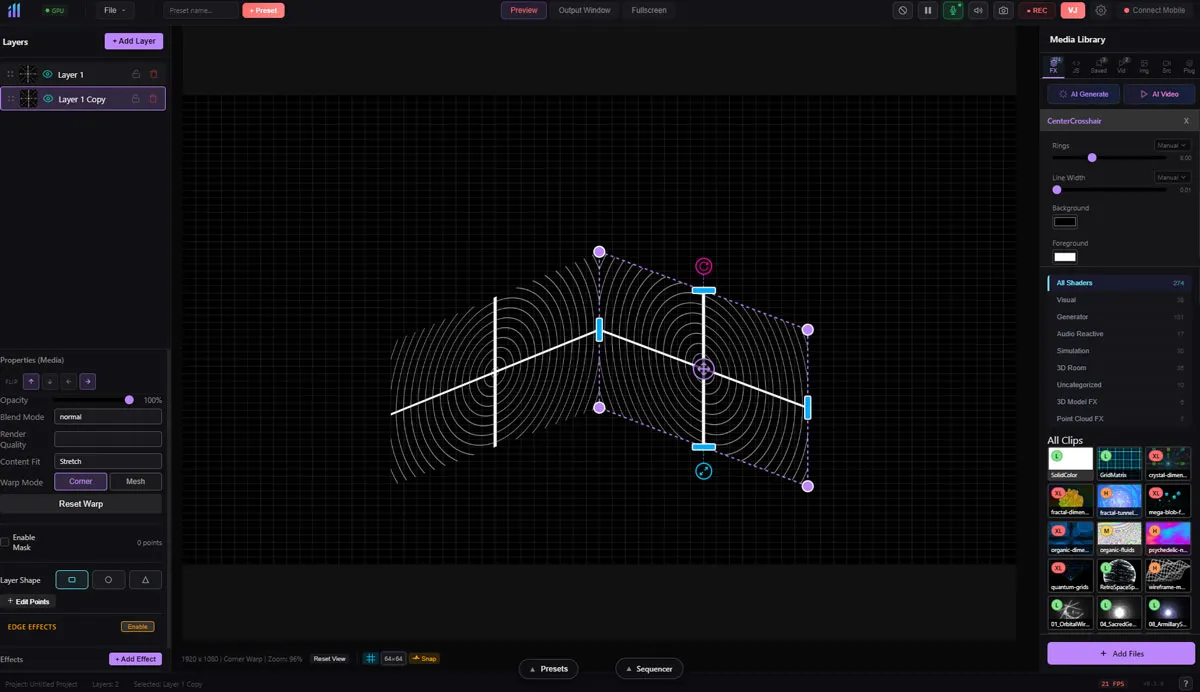
Precision Projection Mapping
Corner warp, mesh warp with adjustable density, per-element warping. Shape masks and soft edge blending for multi-projector setups.
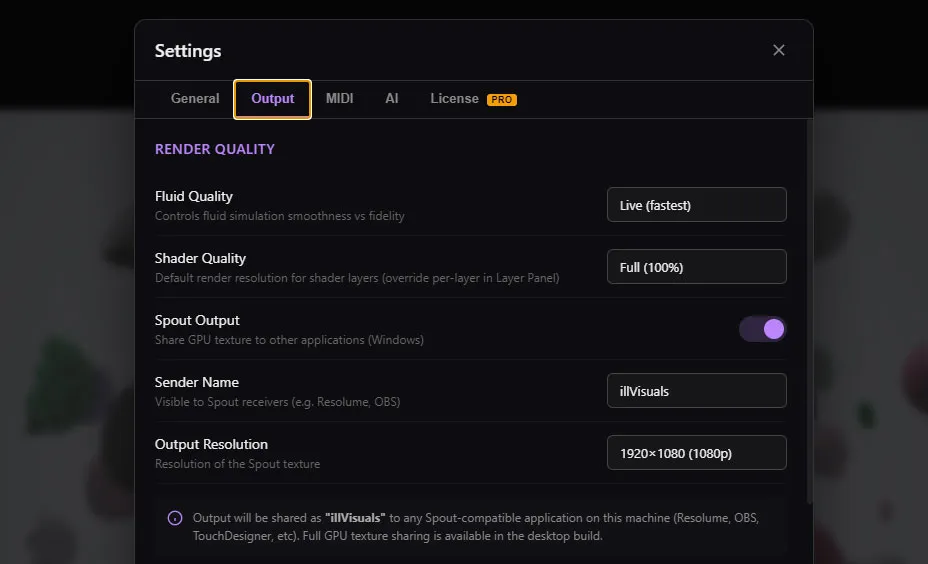
Recording & Output
Screen capture in WebM/MP4. Spout/Syphon output for OBS, TouchDesigner, and LED controllers. 4K at 60fps to multiple displays and projectors.
Two powerhouse plugins, included with Pro
Pro subscribers get FluidGen and 3D Particles. GPU-accelerated generative engines with deep parameter control, mouse interaction, and audio reactivity.
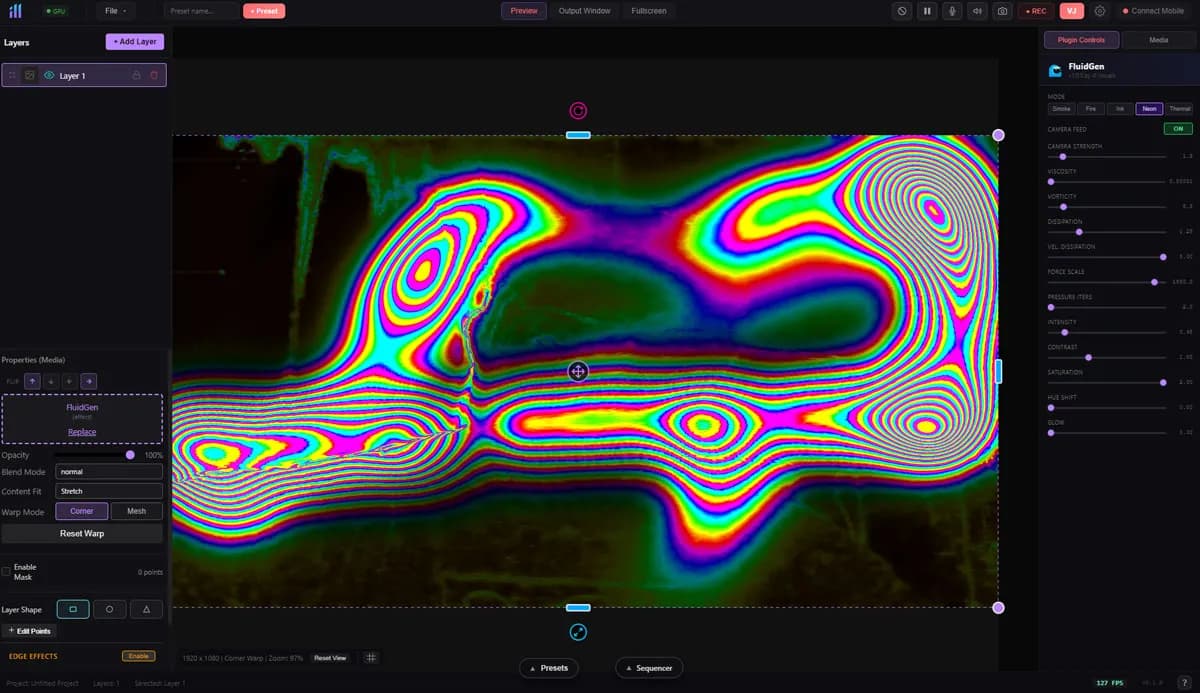
FluidGen
Fluid Dynamics EngineReal-time GPU fluid dynamics simulation with 5 visual modes: Smoke, Fire, Ink, Neon, and Thermal. Mouse-interactive flows, optional camera feed input, and full color/glow control.
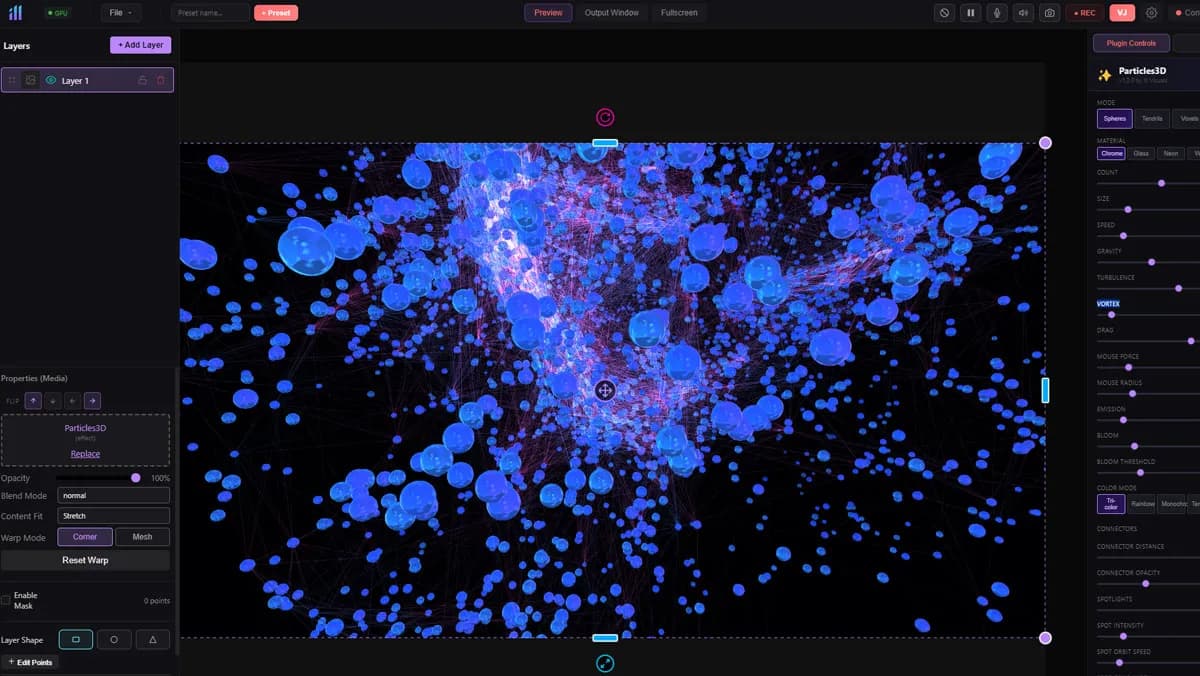
3D Particles
Particle World Engine3D particle system with 4 render modes, 5 PBR materials, mouse interaction, bloom, spotlights, connectors, and physics. Up to 10,000 particles with real-time control.
Control your show from anywhere
Walk around the venue, adjust mappings, trigger clips, and tweak parameters from your phone or tablet. Works over WiFi or hotspot. No internet required.
Distributed architecture
Your phone handles the controls. Your desktop handles the rendering. Low-latency WebSocket keeps everything in sync.
See it in action
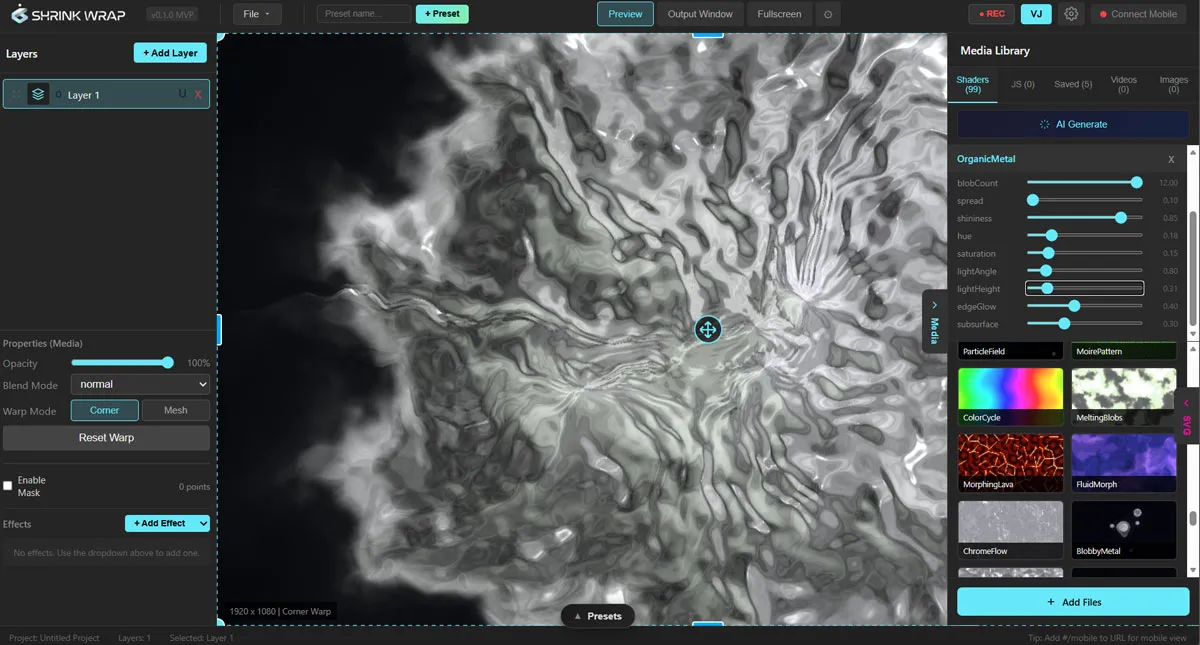
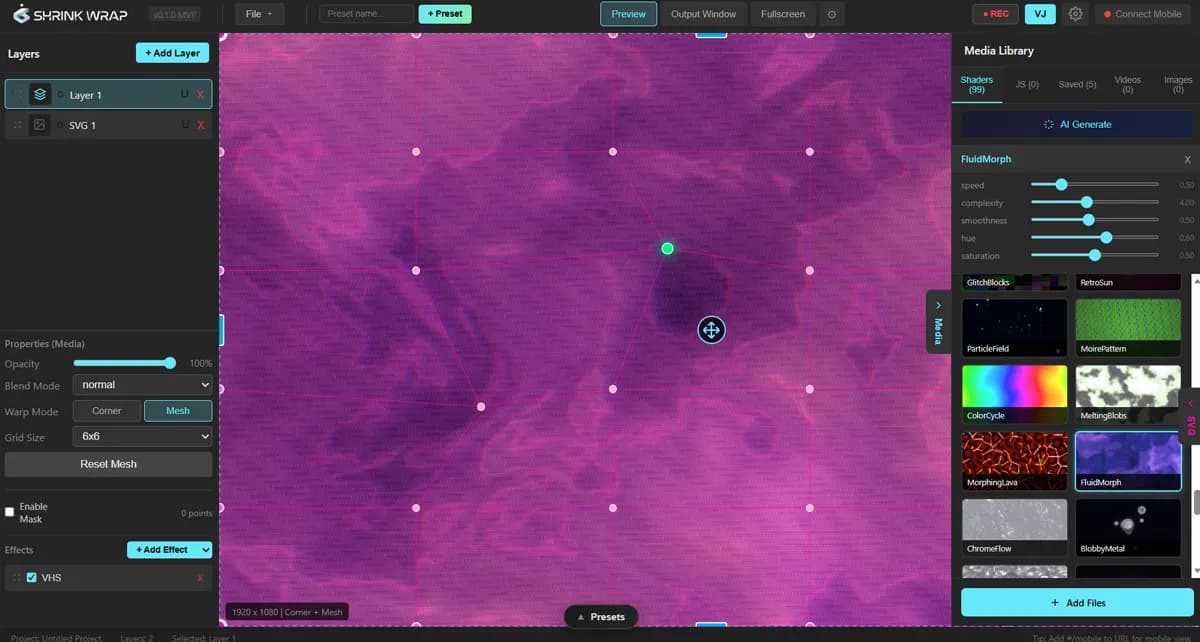
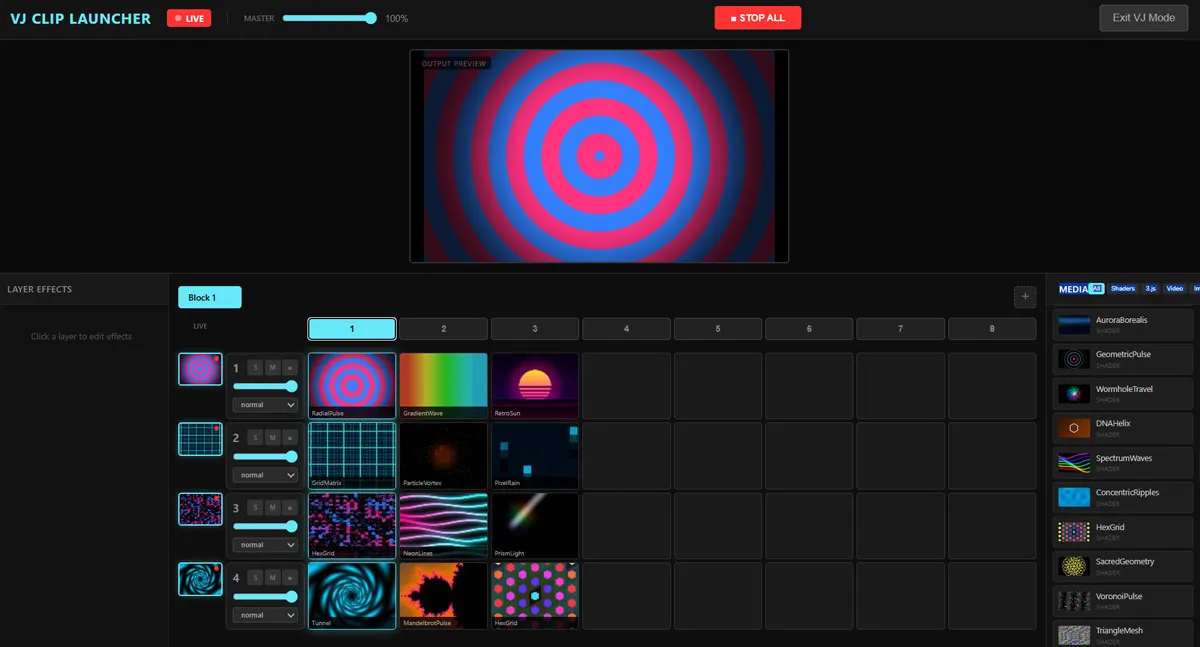
Frequently asked questions
Is ill Visuals free to use?
Yes. The free version includes every feature — 300+ shaders, unlimited layers, VJ mode, Performer mode, MIDI mapping, FluidGen, 3D Particles, Spout, video export, and AI generation. The only distinction is a small watermark on output. Go Pro to remove the watermark.
What is the difference between the free version and Pro?
The free version gives you the entire app — nothing is gated. Every shader, effect, plugin, and output mode is unlocked from day one. The only difference is a small watermark burned into the output. Pro removes the watermark, supports the project, and includes priority support.
Do I need any coding experience?
No. Everything is visual and interactive. Pick shaders from the library, drag effects onto layers, and adjust parameters with sliders. AI generation lets you describe what you want in plain English.
What projectors work with ill Visuals?
Any projector that connects to your computer via HDMI, DisplayPort, or USB-C. ill Visuals outputs to any display your operating system recognizes, including multiple projectors simultaneously.
Can I use it for live shows?
Absolutely. ill Visuals was built for live performance. The VJ clip launcher, Performer keyboard mode, beat sequencer, MIDI mapping, and wireless mobile control are all designed for real-time use on stage.
Does it work with MIDI controllers?
Yes. Any MIDI controller works out of the box. Use learn mode to map any knob, fader, button, or pad to any parameter in the software. Multi-device support with channel filtering.
Is there a Mac version?
Yes. ill Visuals runs on both Windows 10+ and macOS 12+. Download the installer for your platform from the download page.
Can I run it on multiple computers?
Pro licenses include 2 machine activations. You can deactivate a machine from Settings to free up a slot for a different computer.
What file formats are supported?
Videos: MP4, MOV, WebM, GIF. Images: PNG, JPG, WebP. 3D models: GLTF, GLB, FBX. Point clouds: PLY, .splat. Vector: SVG. Shaders: ISF/GLSL.
How do I get help?
Visit the community forum at illvisuals.com/forums, check the documentation at illvisuals.com/docs, or email make@illvisuals.com. We typically respond within 24 hours.
Ready to create?
Free — every feature unlocked, only distinction is a watermark on output. Go Pro for $24/mo to remove it. Mac and Windows. Mobile control works on any device with a browser.